





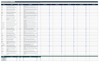
Assisted Living Comparison & Tour Planner | Senior Living Facility Scorecard, Cost Comparison, Care Needs & Decision Dashboard
Assisted Living Comparison & Tour System
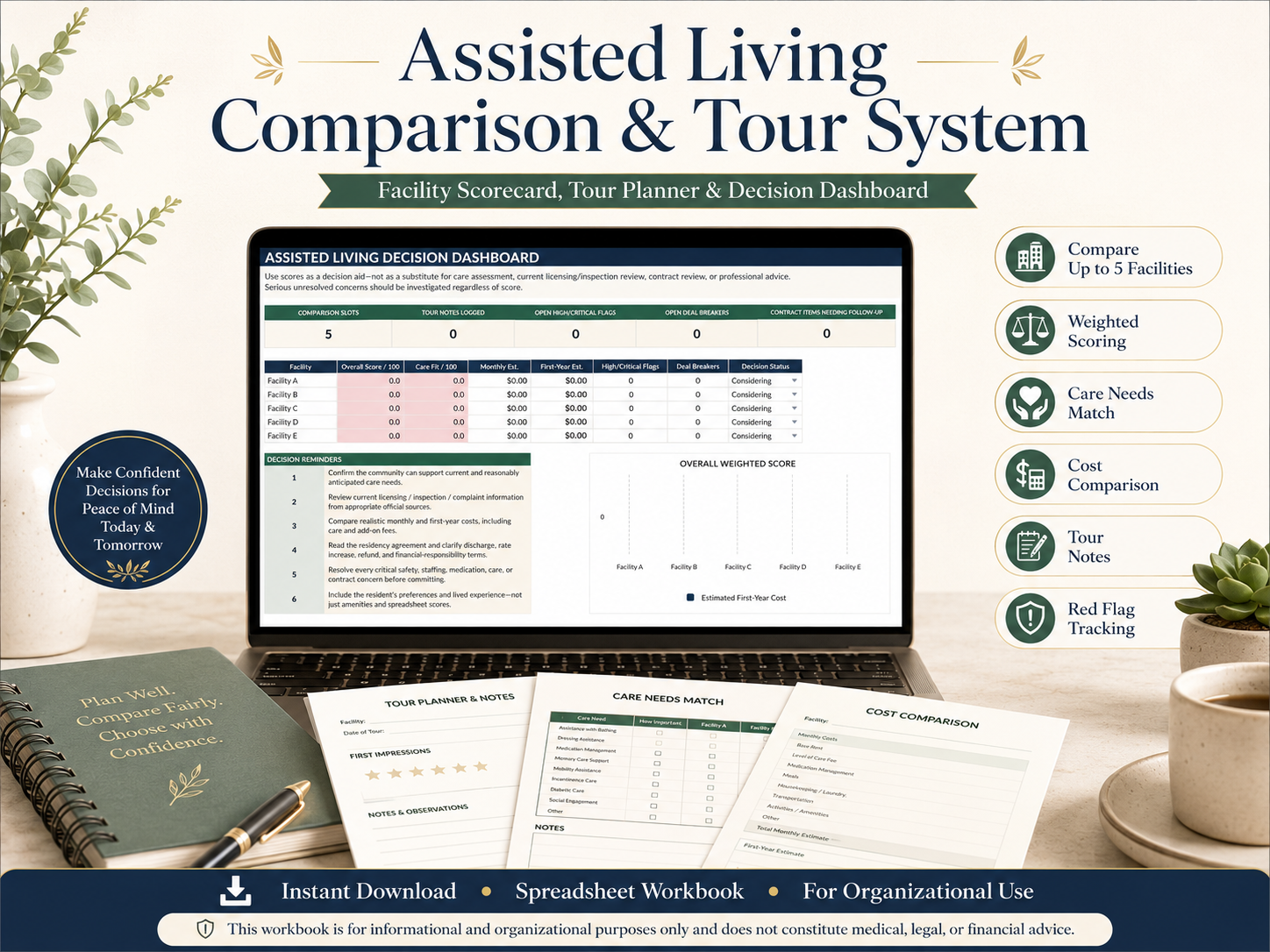
Make a complex senior living decision easier to organize, compare, and discuss with the Assisted Living Comparison & Tour System — a comprehensive Excel workbook designed to help families evaluate assisted living communities side by side.
This premium assisted living comparison spreadsheet combines facility scoring, care-needs matching, tour preparation, cost analysis, contract review, safety observations, red-flag tracking, and family decision notes in one structured system.
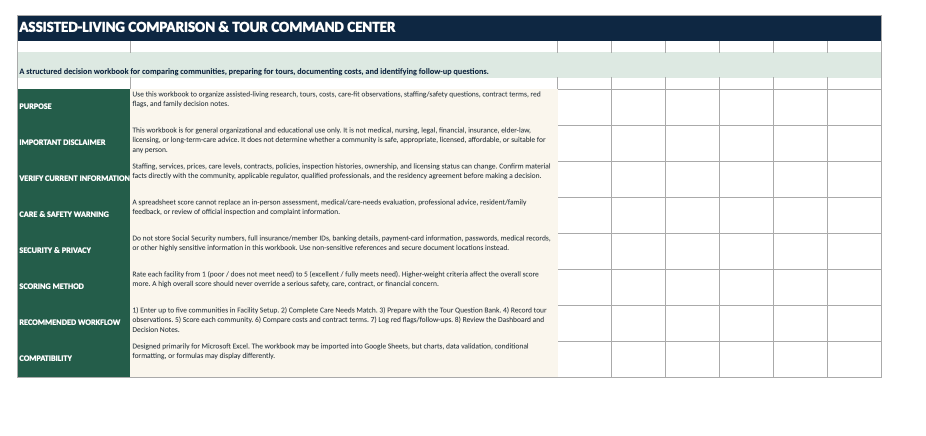
Instead of relying on scattered brochures, handwritten notes, emails, pricing sheets, and memory after multiple facility tours, use one centralized Senior Living Decision Command Center to compare up to five communities using consistent criteria.
The workbook is designed to help families ask better questions, document what they actually observe, understand potential costs, and keep important concerns visible before making a decision.
WHAT'S INCLUDED
Your digital workbook includes:
- Assisted Living Decision Dashboard
- Side-by-side comparison for up to 5 facilities
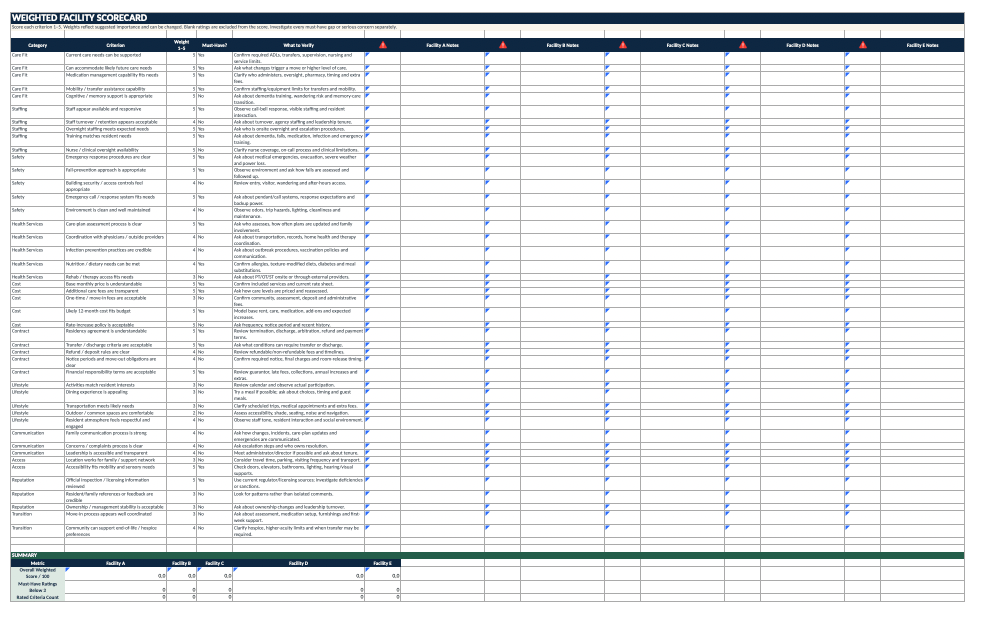
- Weighted Facility Scorecard
- Care Needs Match worksheet
- Assisted Living Tour Question Bank
- Tour Notes & Observations tracker
- Cost & Fee Comparison
- Estimated monthly cost comparison
- Estimated first-year cost comparison
- Estimated 3-year cost comparison
- Staffing, Safety & Quality Check
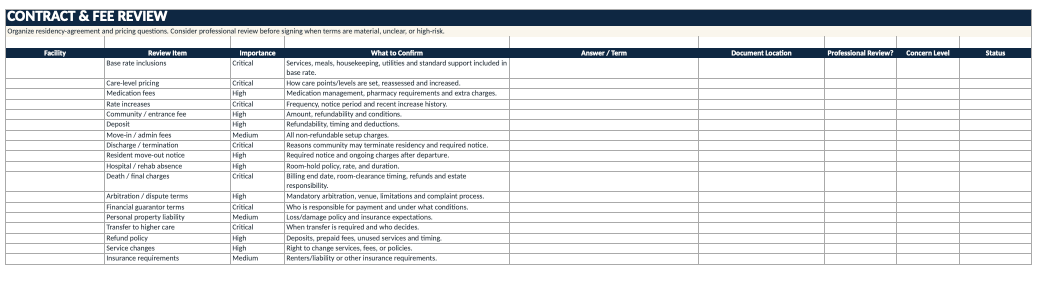
- Contract & Fee Review
- Red Flags & Follow-Ups tracker
- Deal-breaker tracking
- Family Decision Notes
- Must-have requirement tracking
- Automatic weighted scoring
- High and critical concern alerts
- Decision-status tracking
- Current and future care-fit evaluation
- Security and privacy guidance
- Medical, legal, financial, and licensing disclaimers
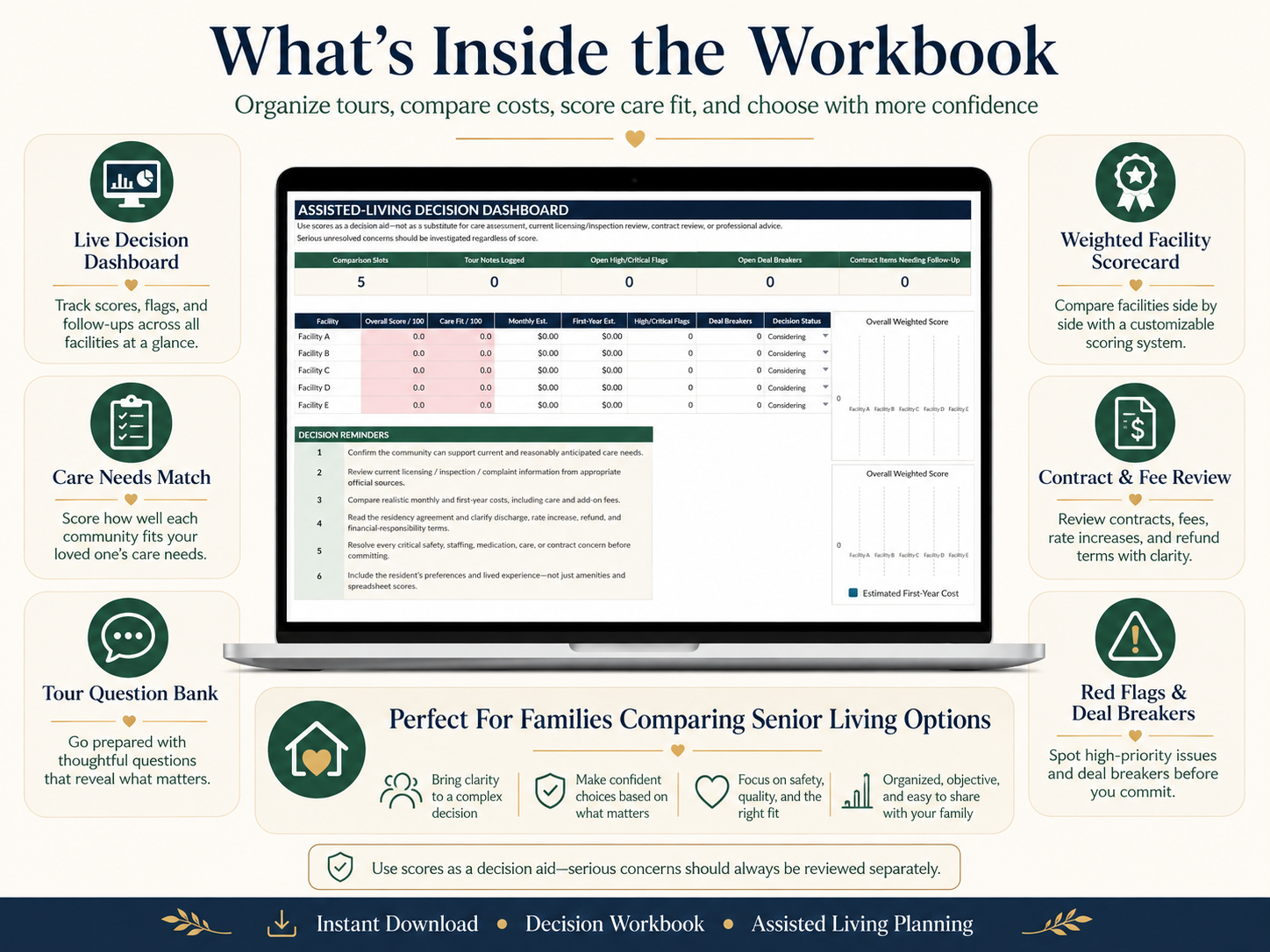
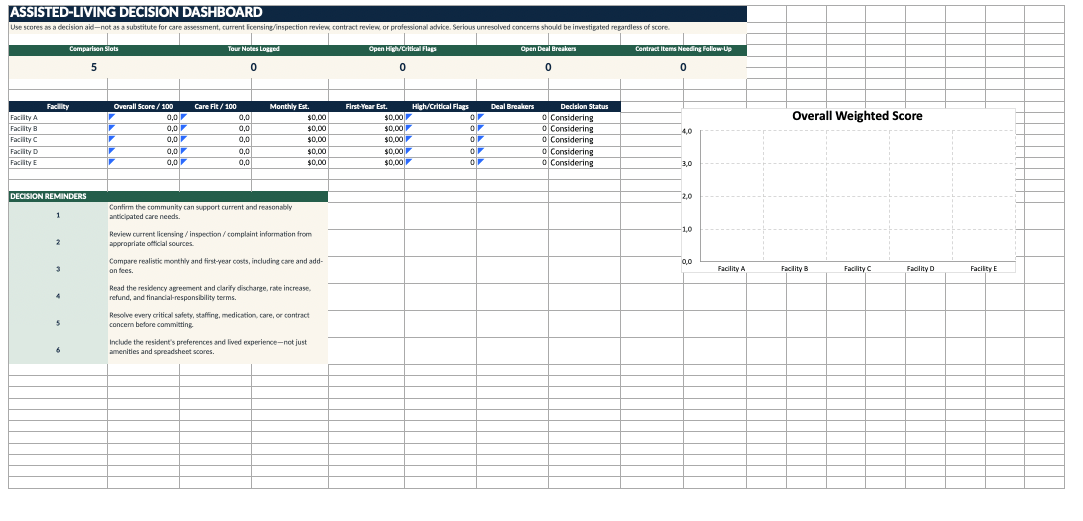
LIVE ASSISTED LIVING DECISION DASHBOARD
See your facility comparison in one place.
The built-in dashboard summarizes important decision information for each community, including:
- Overall weighted facility score
- Care-needs fit score
- Estimated monthly cost
- Estimated first-year cost
- High and critical concerns
- Open deal breakers
- Decision status
- Follow-up items
The dashboard helps you compare communities consistently without allowing one attractive amenity or sales presentation to dominate the entire decision.
Use the results as an organizational decision aid while investigating serious concerns separately.
COMPARE UP TO 5 ASSISTED LIVING COMMUNITIES
Enter up to five facilities and compare them side by side.
Track information such as:
- Facility name
- Location
- Contact information
- Website
- Tour date
- Primary contact
- Community type
- License or registration reference
- Inspection source
- Notes
Facility names automatically feed into relevant comparison areas of the workbook.
This makes it easier to organize multiple tours without confusing which facility provided which answer.
WEIGHTED FACILITY SCORECARD
Not every feature should carry the same importance.
The Weighted Facility Scorecard allows you to rate assisted living communities from 1 to 5 across important decision areas while assigning greater weight to high-priority criteria.
Compare factors such as:
Care Fit
- Current care needs
- Future care needs
- Medication management
- Mobility assistance
- Transfer assistance
- Cognitive support
- Memory care capabilities
Staffing
- Staff responsiveness
- Overnight staffing
- Staff turnover
- Training
- Clinical oversight
- Nurse availability
Safety
- Emergency response
- Fall prevention
- Building security
- Emergency call systems
- Backup power
- Environmental safety
Health Services
- Care-plan assessments
- Physician coordination
- Outside-provider coordination
- Infection-prevention practices
- Dietary support
- Therapy access
Cost
- Base monthly rate
- Care-level fees
- Medication fees
- Add-on services
- One-time charges
- Future affordability
- Rate increases
Contract Terms
- Residency agreement
- Discharge provisions
- Refund policies
- Move-out requirements
- Financial responsibility
- Transfer requirements
Lifestyle
- Activities
- Dining
- Transportation
- Common spaces
- Outdoor areas
- Resident atmosphere
Communication
- Family communication
- Incident notification
- Complaint process
- Leadership accessibility
Reputation & Oversight
- Licensing
- Inspection history
- Complaint information
- Ownership stability
- Leadership changes
The workbook automatically calculates a weighted score out of 100 for each community.
MUST-HAVE REQUIREMENTS
Some needs are not optional.
Mark important criteria as Must Have and track whether each facility meets them.
The workbook helps identify low ratings on must-have criteria separately from the overall score.
This is particularly useful because a community could receive a strong overall score while still failing an essential requirement.
A high spreadsheet score should never override a serious care, safety, financial, or contract concern.
CARE NEEDS MATCH
Start with the person — not the building.
Use the Care Needs Match worksheet to document the resident's current and anticipated support requirements.
Compare each community's ability to support needs such as:
- Bathing assistance
- Dressing and grooming
- Toileting
- Transfers
- Walking
- Wheelchair use
- Fall-risk support
- Medication administration
- Diabetes support
- Memory support
- Wandering safeguards
- Behavioral support
- Dietary restrictions
- Texture-modified diets
- Incontinence support
- Overnight assistance
- Nursing oversight
- Therapy access
- Transportation
- Hearing accommodations
- Vision accommodations
- Hospice or end-of-life support
Assign importance ratings and identify true must-have needs.
The workbook calculates a separate Care Fit Score for each community.
ASSISTED LIVING TOUR QUESTION BANK
Walking into an assisted living tour without prepared questions can make it easy to focus on décor, amenities, and sales presentations instead of the issues that may matter most later.
The workbook includes a detailed Assisted Living Tour Question Bank covering topics such as:
- Care assessments
- Future care needs
- Staffing
- Overnight coverage
- Employee turnover
- Temporary staffing
- Staff training
- Medication management
- Falls
- Emergency response
- Backup power
- Wandering prevention
- Dementia care
- Dining
- Dietary accommodations
- Activities
- Transportation
- Monthly costs
- Hidden fees
- Rate increases
- Contracts
- Deposits
- Refunds
- Discharge policies
- Family communication
- Healthcare coordination
- Nurse availability
- Facility environment
- Licensing
- Inspection history
- Ownership changes
- Move-in procedures
Questions are categorized by priority so you can focus on the most important issues first.
TOUR NOTES & OBSERVATIONS
Document more than what the sales representative tells you.
Use the Tour Notes & Observations tracker to record:
- Facility
- Tour date
- Topic
- Question asked
- Response received
- What you personally observed
- Concern level
- Follow-up requirement
- Responsible person
- Due date
- Resolution status
This gives you one consistent format for every tour.
After visiting several communities, these notes can help prevent important observations from blending together.
COST & FEE COMPARISON
The advertised monthly rate may not represent the full cost of assisted living.
Use the Cost Comparison worksheet to organize fees such as:
- Base monthly housing fee
- Current care-level fee
- Medication management
- Additional care charges
- Laundry
- Housekeeping
- Transportation
- Parking
- Pet fees
- Other recurring services
- Community or entrance fees
- Assessment fees
- Security deposits
- Move-in fees
- Administrative fees
- Other one-time charges
The workbook automatically calculates:
- Estimated Monthly Total
- Total One-Time Fees
- Estimated First-Year Cost
- Estimated 3-Year Cost
The 3-year estimate assumes current recurring prices remain unchanged and is intended only as an organizational comparison.
Actual costs may increase as rates and care needs change.
STAFFING, SAFETY & QUALITY CHECK
Use this section to organize important facts that deserve verification.
Track questions and findings related to:
- Overnight staffing
- Staffing by shift
- Staff turnover
- Temporary or agency staff
- Nursing availability
- Emergency response systems
- Call-button procedures
- Generator and backup power
- Fall prevention
- Emergency evacuation
- Building security
- Wandering prevention
- Licensing status
- Inspection history
- Deficiencies
- Complaints
- Ownership changes
- Leadership stability
Record who provided the information and whether it has been verified.
CONTRACT & FEE REVIEW
Assisted living residency agreements can contain important financial and operational terms.
The Contract & Fee Review section helps you organize questions around:
- Base-rate inclusions
- Care-level pricing
- Medication charges
- Rate increases
- Entrance or community fees
- Deposits
- Administrative fees
- Discharge provisions
- Termination rights
- Move-out notice
- Hospital or rehabilitation absences
- Charges after death
- Arbitration provisions
- Financial guarantor language
- Personal-property responsibility
- Higher-care transfers
- Refund policies
- Service changes
- Insurance requirements
You can record:
- What the contract says
- Supporting document location
- Concern level
- Whether professional review may be appropriate
- Follow-up status
This worksheet is for organization only and does not provide legal advice or interpret a residency agreement.
RED FLAGS & DEAL BREAKERS
A beautiful facility can still have unresolved issues.
Keep serious concerns visible using the dedicated Red Flags & Follow-Ups tracker.
Record:
- Facility
- Date
- Category
- Issue
- Concern level
- Whether it is a deal breaker
- Person to contact
- Follow-up date
- Status
- Resolution or evidence
Concern levels include:
- Low
- Medium
- High
- Critical
Possible red flags could involve:
- Safety
- Staffing
- Medication management
- Care capability
- Contract terms
- Pricing
- Communication
- Inspection findings
- Facility conditions
- Unanswered questions
The dashboard separately displays high/critical issues and deal breakers so they cannot disappear inside an overall numerical score.
FAMILY DECISION NOTES
Senior living decisions are not purely mathematical.
The workbook includes a dedicated section for documenting:
- Resident's priorities
- Family priorities
- Non-negotiables
- Reasons to choose each facility
- Concerns about each facility
- Questions that still need answers
- Professional input required
- Final decision rationale
This allows the family to combine objective comparison with personal preferences and lived experience.
DESIGNED FOR FAMILIES COMPARING
This workbook may be useful for:
- Families comparing assisted living communities
- Adult children helping aging parents
- Older adults planning a move
- Caregivers
- Family decision-makers
- Senior living research
- Assisted living tours
- Memory care comparison
- Senior housing comparison
- Elder care planning
- Long-term care research
- Senior living cost comparison
- Facility selection planning
SECURITY & PRIVACY FIRST
This workbook is designed for organization — not for storing sensitive medical or financial information.
Do not enter:
- Social Security numbers
- Full insurance IDs
- Banking details
- Payment-card numbers
- Passwords
- Medical records
- Highly sensitive health information
- Authentication credentials
Use general descriptions and secure document-location references instead.
DIGITAL DOWNLOAD
This is a digital product.
No physical product will be shipped.
You will receive an Excel spreadsheet workbook designed primarily for Microsoft Excel.
The workbook may also be imported into Google Sheets, although some:
- Formulas
- Charts
- Conditional formatting
- Dropdown menus
- Data validation
- Layout formatting
may display or behave differently.
IMPORTANT DISCLAIMER
This workbook is provided for general informational, organizational, and educational purposes only.
It is not:
- Medical advice
- Nursing advice
- Legal advice
- Elder-law advice
- Financial advice
- Insurance advice
- Long-term-care advice
- Licensing advice
- A professional facility assessment
A spreadsheet score does not determine whether an assisted living community is safe, appropriate, properly licensed, affordable, or suitable for a particular resident.
Facility staffing, pricing, ownership, services, policies, licensing status, inspection history, contract terms, and care capabilities can change.
Always independently verify important information.
Consult appropriate professionals when necessary, including:
- Physicians
- Nurses
- Care managers
- Elder-law attorneys
- Financial advisers
- Insurance professionals
- Social workers
- Appropriate licensing or regulatory agencies
Review current official inspection, licensing, and complaint information where available.
Carefully review the residency agreement and current pricing before paying a deposit or signing a contract.
WHY THIS WORKBOOK IS DIFFERENT
This is not simply an assisted living tour checklist.
It combines:
Care Needs + Facility Scoring + Tour Questions + Costs + Staffing + Safety + Contracts + Red Flags + Family Preferences
into one organized decision system.
Instead of asking:
“Which facility looked nicest?”
you can compare:
“Which community best fits the person's care needs, priorities, safety requirements, financial situation, and long-term preferences?”
Use the workbook to bring more structure, clarity, and consistency to one of the most important decisions a family may need to make.