
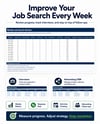
Job Application Tracker Spreadsheet for Excel | Resume A/B Testing & Dashboard
Job Application Tracker Spreadsheet for Excel | Resume A/B Testing & Job Search Dashboard
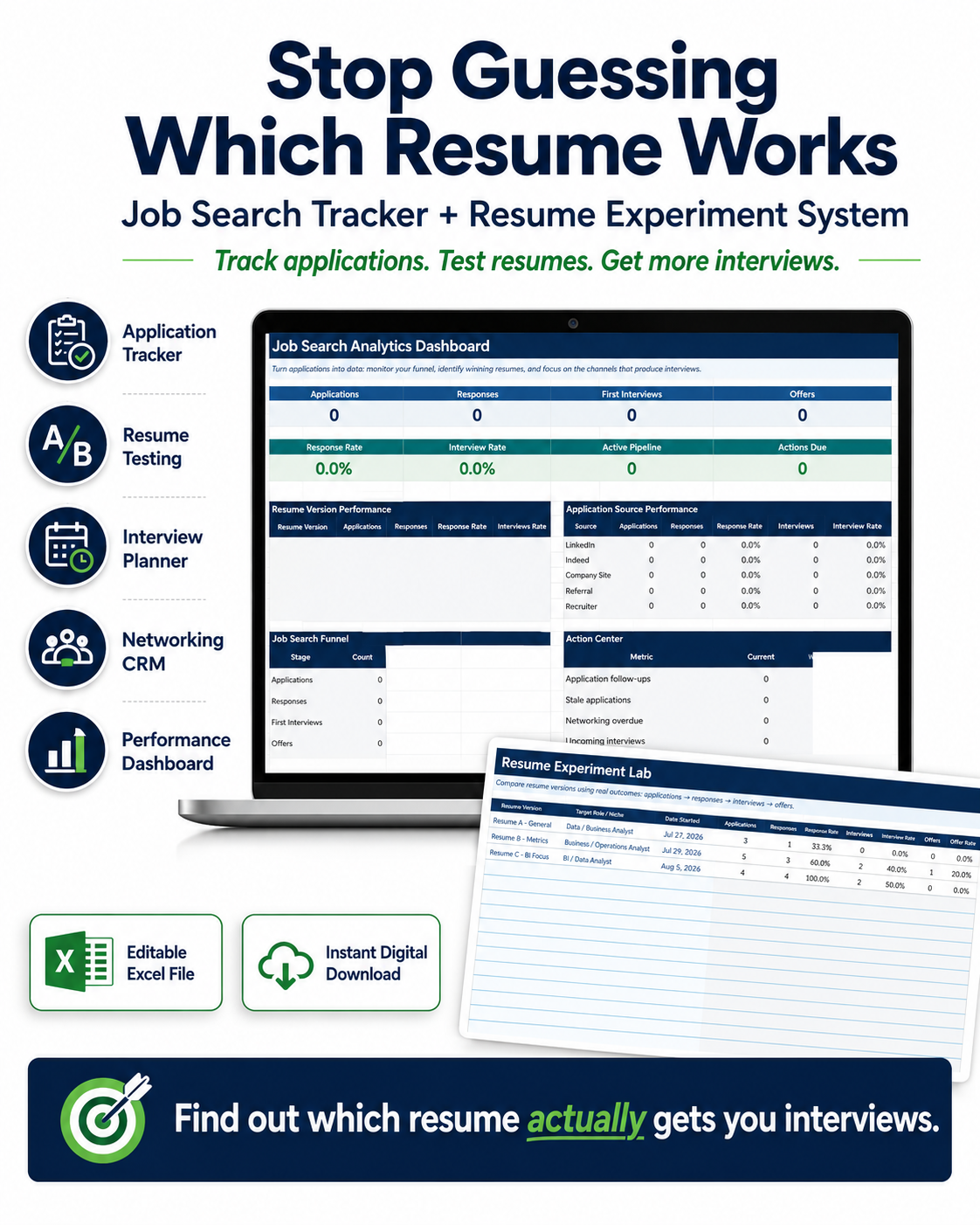
Organize your job search. Track every application. Discover which resumes are getting results.
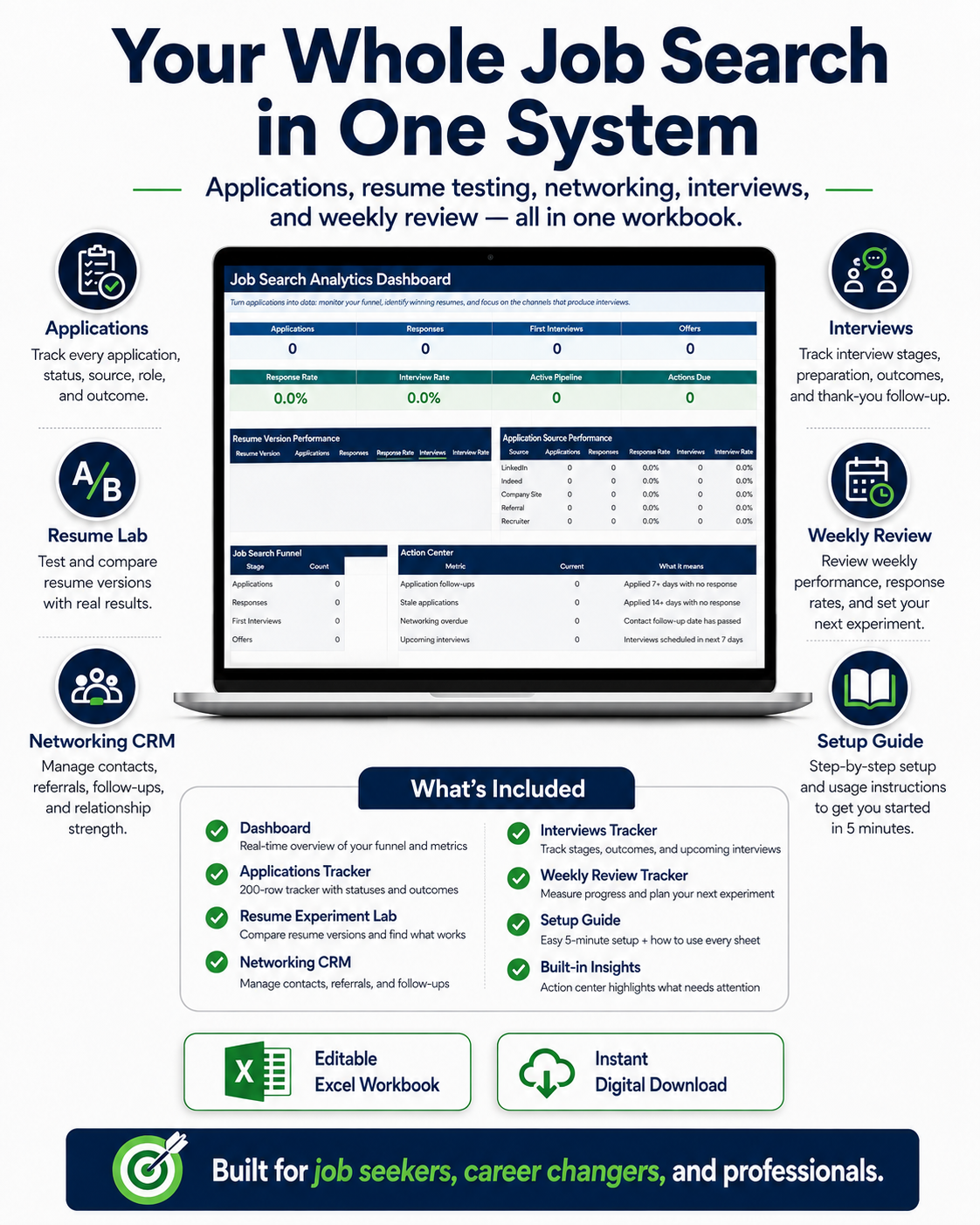
Take control of your job search with this all-in-one Job Application Tracker Spreadsheet for Excel. Designed for job seekers, graduates, career changers, and professionals, this digital template helps you manage applications, prepare for interviews, track follow-ups, and measure resume performance in one organized workbook.
Unlike a basic job application tracker, this system includes resume A/B testing, job search analytics, interview planning, and a networking CRM to help you make better-informed decisions throughout your job search.
No advanced Excel knowledge required.
Why Choose This Job Search Tracker?
Applying for multiple jobs can quickly become overwhelming. It's easy to lose track of which resume you submitted, whether a recruiter responded, or when you should follow up.
This Excel job search organizer helps you:
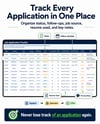
- Track every application — Keep company names, positions, dates, salaries, and application statuses organized.
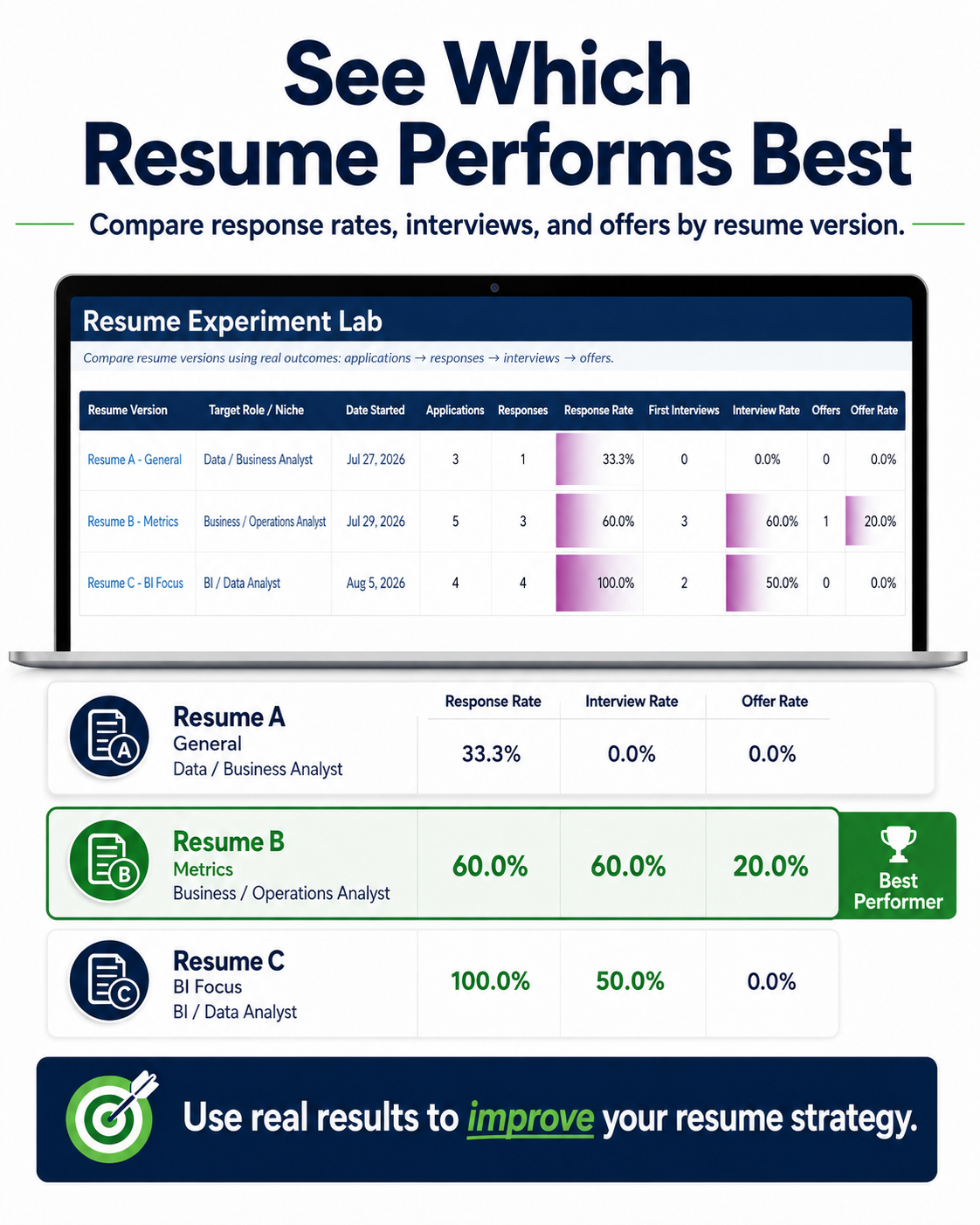
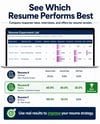
- Compare resume versions — Use the Resume Experiment Lab to see which resumes receive more responses and interviews.
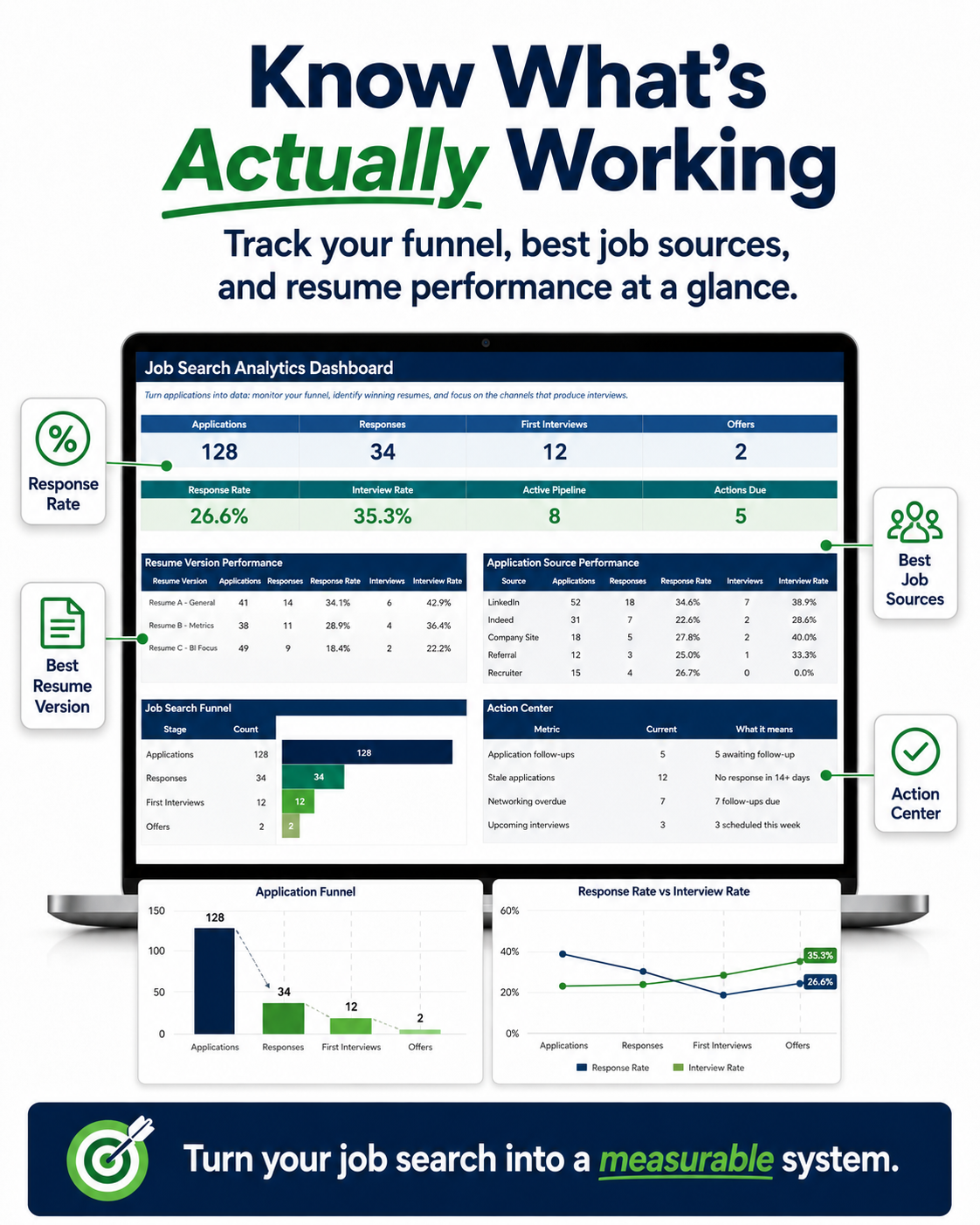
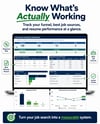
- Monitor your job search progress — View application totals, response rates, interviews, and offers in an analytics dashboard.
- Stay on top of follow-ups — Identify applications and networking contacts that need attention.
- Prepare for interviews — Keep interview dates, stages, preparation notes, and outcomes in one place.
- Manage networking contacts — Organize recruiters, hiring managers, referrals, and professional connections.
- Improve your search strategy — Compare job boards, referrals, and other application sources.
Spend less time managing scattered information and more time focusing on your next opportunity.
1. Job Application Tracker Spreadsheet
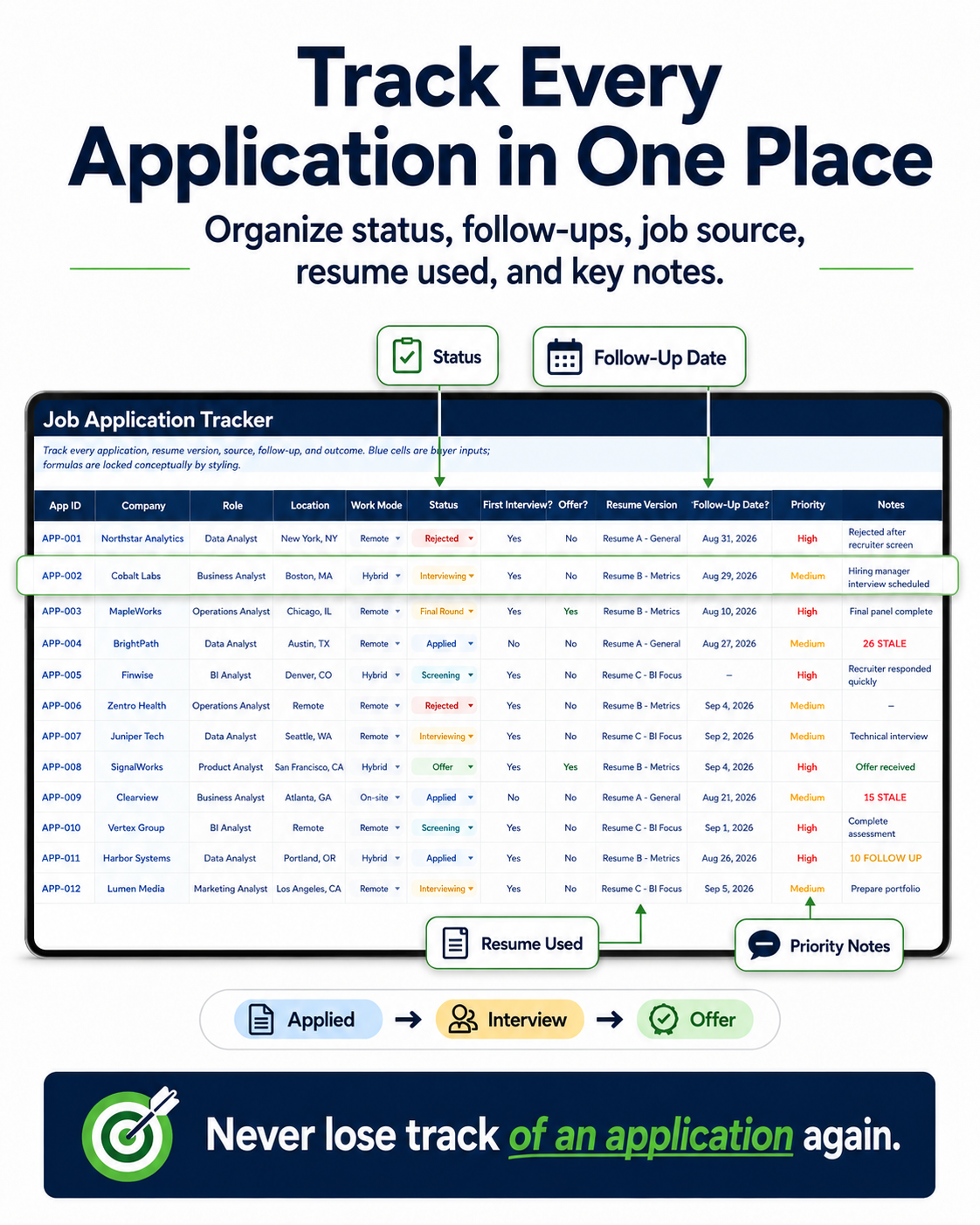
Keep your entire job application pipeline organized in one Excel worksheet.
Track essential details including:
- Company name and job title
- Application date and source
- Salary information
- Resume version submitted
- Application status and employer response
- Interview progress and offer outcome
- Follow-up dates, notes, and next steps
Quickly identify active applications, pending responses, upcoming follow-ups, and opportunities that have progressed to interviews.
Whether you're applying to 10 jobs or managing a larger job search, this tracker helps you maintain a consistent record of your applications.
2. Resume A/B Testing & Performance Analytics
Stop guessing which resume version performs best. Start comparing actual response data.
The built-in Resume Experiment Lab helps you track multiple resume versions and analyze their performance.
Compare:
- Number of applications per resume version
- Employer response rate
- Interview conversion rate
- Final interview rate
- Job offer rate
- Overall resume performance
Use the insights to evaluate changes to your resume, such as:
- Professional headlines and summaries
- Skills and keywords
- Achievement-focused bullet points
- Industry-specific resume versions
- ATS-oriented formatting and content
- Career-change positioning
Example: Submit different resume versions, record which version was used for each application, and compare response and interview rates as results accumulate.
Tip: For more meaningful comparisons, use a reasonable number of applications and consider differences in roles, employers, and application sources. Higher response rates do not necessarily prove one resume is better.
3. Job Search Analytics Dashboard
Turn your application records into a visual overview of your job search.
The Excel dashboard helps you monitor:
- Total job applications
- Employer responses
- First interviews
- Job offers
- Response and interview rates
- Active application pipeline
- Follow-ups due
- Resume version performance
- Application source performance
Understand where you are in the hiring process and identify areas worth improving.
4. Application Source Analytics
Find out which job search channels are producing responses and interviews.
Compare applications submitted through:
- Indeed
- Company career websites
- Recruiters
- Referrals
- Networking
- Other job boards
Measure response and interview rates by source so you can make more informed decisions about where to focus your job search efforts.
5. Interview Tracker & Planner
Stay prepared for every stage of your interview process.
Organize:
- Company and position
- Interview date and stage
- Interview format and interviewer
- Preparation notes
- Questions to ask
- Thank-you message status
- Follow-up actions
- Interview outcome
The workbook also helps highlight upcoming interviews so important dates are easier to manage.
6. Networking CRM & Follow-Up Tracker
Keep professional relationships organized throughout your job search.
Track recruiters, hiring managers, referrals, former colleagues, and networking contacts.
Record:
- Contact name and company
- Relevant role or opportunity
- Relationship strength
- Last contact date
- Next follow-up date
- Conversation notes and next steps
Follow-up indicators help you identify overdue networking activities and applications that may need attention.
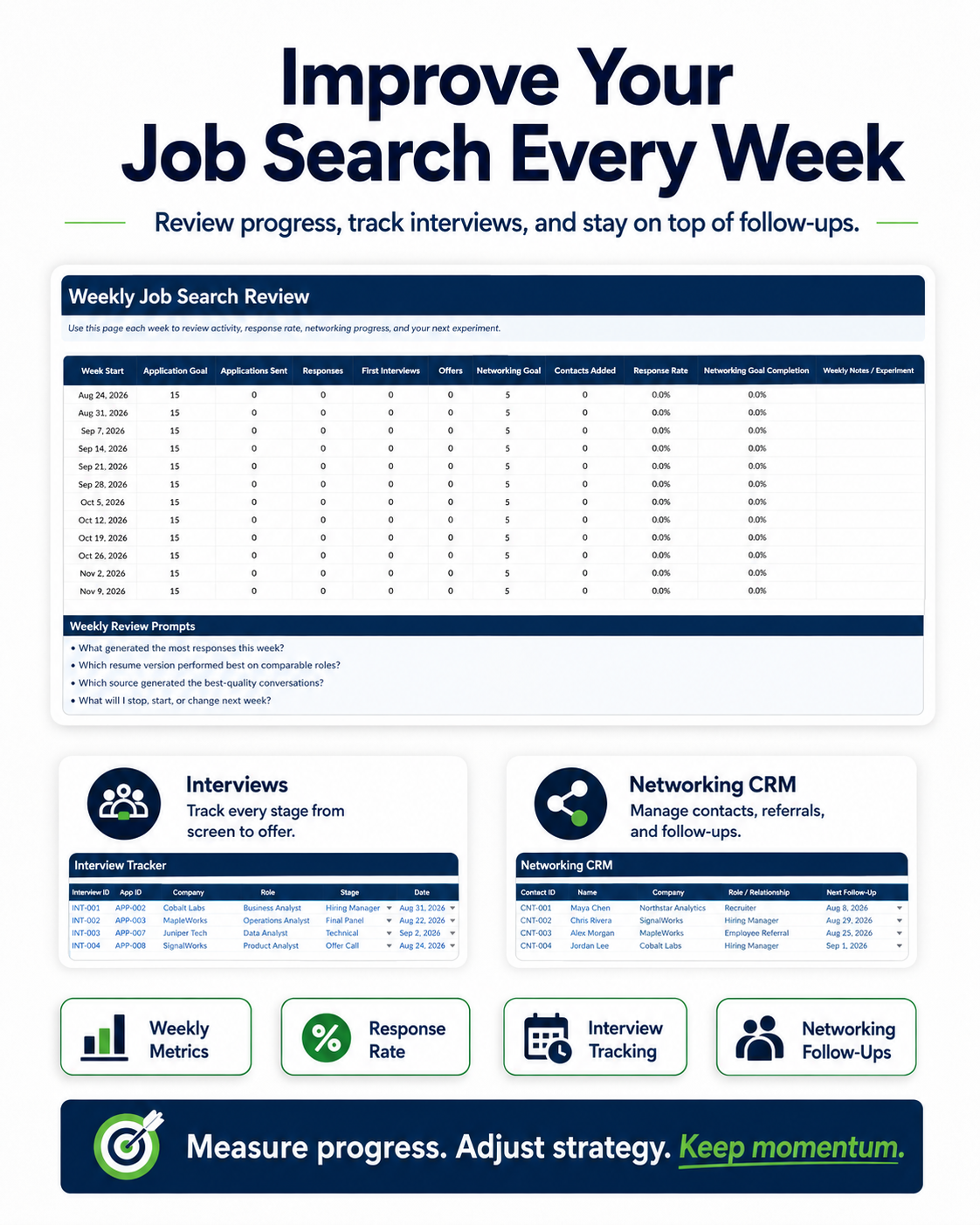
7. Weekly Goals & 12-Week Job Search Review
Build a more intentional job search routine with the weekly review system.
Monitor:
- Applications submitted
- Networking outreach
- Interviews completed
- Follow-ups
- Response and interview conversion rates
- Weekly goals and progress
Review your activity, spot patterns, and decide which approaches to test next.
What's Included in Your Digital Download?
Your Excel job search workbook includes:
- Job Search Analytics Dashboard
- Job Application Tracker
- Resume A/B Testing Lab
- Resume Performance Analytics
- Application Source Analytics
- Networking CRM
- Interview Tracker
- Follow-Up Alerts
- 12-Week Job Search Review
- Weekly Goal Tracking
- Customizable Settings & Dropdowns
- Sample Data
- Quick-Start Setup Guide
One integrated Excel workbook to organize and evaluate your job search.
Who Is This Job Search Spreadsheet For?
This Excel template is designed for:
- Recent graduates entering the workforce
- Job seekers managing multiple applications
- Career changers testing different resumes
- Professionals exploring new opportunities
- Remote job seekers
- College students preparing for employment
- Tech, marketing, business, and finance professionals
- Anyone who wants a more structured job application process
How to Use the Job Application Tracker
Step 1 — Download the Excel workbook. Open the file in Microsoft Excel and follow the included Quick-Start Setup Guide.
Step 2 — Enter your applications. Add companies, job titles, application dates, sources, statuses, and resume versions.
Step 3 — Track interviews and follow-ups. Update interview details and record next actions as your applications progress.
Step 4 — Review your dashboard. Monitor automatically calculated metrics and compare resume performance.
Step 5 — Improve your process. Use the weekly review to evaluate your progress and choose what to focus on next.
The included sample data lets you explore how the workbook works before entering your own information.
Frequently Asked Questions
Is this a digital product?
Yes. This is a downloadable Excel spreadsheet template. No physical product will be shipped.
Do I need Microsoft Excel?
Microsoft Excel for Windows or Mac is recommended for the best experience and full functionality.
Do I need advanced spreadsheet skills?
No. The workbook includes sample data, customizable dropdowns, and a Quick-Start Setup Guide to help you get started.
Can I compare different versions of my resume?
Yes. The Resume A/B Testing Lab and resume analytics sheets help you compare applications, responses, interviews, and offers across resume versions.
Can I track interview dates and follow-ups?
Yes. The workbook includes an interview tracker, networking CRM, and follow-up indicators.
Does the spreadsheet automatically apply for jobs?
No. This is a job search management and analytics tool. You enter and update your applications, and the workbook calculates relevant metrics based on your records.
Will this tracker guarantee more interviews or job offers?
No. The spreadsheet helps you organize information and analyze job search activity. Results depend on your qualifications, the job market, application quality, and other factors.
Start Organizing Your Job Search Today
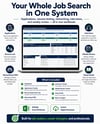
Keep applications, interviews, follow-ups, networking contacts, and resume testing in one easy-to-manage Excel system.
Download the Job Application Tracker Spreadsheet and bring more structure and insight to your job search.
Digital Product Information
- Format: Microsoft Excel spreadsheet template
- Delivery: Digital download
- Recommended software: Microsoft Excel for Windows or Mac
- Physical shipping: None
- Includes: Sample data and Quick-Start Setup Guide
Disclaimer: This product is an organizational and analytical tool. It does not guarantee interviews, employment, job offers, or specific career outcomes.